Upgrade Docker-based Nimbra Edge #
Upgrading Docker-based Nimbra Edge is done in the following steps.
- Upgrade connectit CLI - To upgrade to a new version of Nimbra Edge, the CLI tool corresponding to that version is required.
- Upgrade core - This will upgrade the web interface, APIs, databases etc. During the upgrade the web interface will be temporarily inaccessible but no video streams will be affected.
- Upgrade appliances - This will upgrade the software of the appliances routing video traffic. To upgrade an appliance it needs to be restarted. While restarting, the video traffic routed by that appliance will be disrupted.
Version steps #
It’s only supported to upgrade in steps of one minor or major version at a time, and this is now enforced — an upgrade that skips a release is blocked.
Crossing into a new major version is only supported from the latest minor of the previous major. In our case the supported step into R4 is R3.26 → R4.0 (R3.25 → R4.0 is not allowed; upgrade to R3.26 first).
Examples:
- Supported: R3.18.x → R3.19.x
- Supported: R3.26.x → R4.0.x
- NOT supported: R3.25.x → R4.0.x (skips R3.26)
- NOT supported: R3.18.x → R3.20.x (skips R3.19)
Core and appliance version compatibility #
Because the appliances will continue running the same software until they are restarted, running one (and no more than one) version older software on an appliance than the core version is supported. Although it’s supported, it’s recommended to upgrade the appliances as soon as possible.
Example:
- Supported: Core version
R3.19.0. Appliance software versionR3.18.0. - NOT supported: Core version
R3.20.0. Appliance software versionR3.18.0.
1. Upgrade connectit CLI #
To upgrade to a new version of Docker-based Nimbra Edge, the CLI tool corresponding to that version is required.
Download it by executing the following commands on the machine running Docker-based Nimbra Edge:
curl --output connectit https://docs.cnctit.io/releases/connectit-R4.1.1
chmod +x connectit
2. Upgrade core #
While upgrading the core, the web interface will be temporarily inaccessible but video streams will not be affected.
To upgrade, execute the following command:
./connectit upgrade core
3. Upgrade appliances #
After the core has been upgraded, all the appliances (video, thumb, Edge Connect etc) connected to the core are ready to be upgraded. The appliances will download the new software from the core upon restart.
While restarting, the video traffic routed by that appliance will be disrupted.
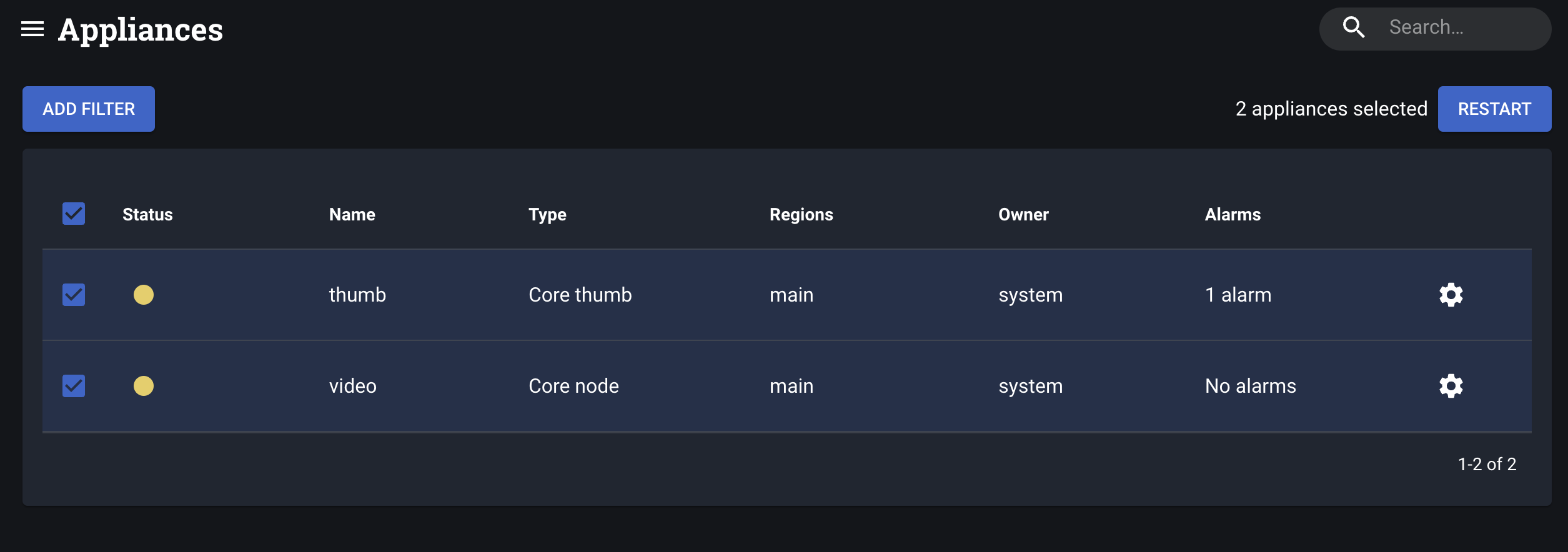
To restart appliances, navigate to Settings → Appliances. The status of the appliances will be yellow which indicate that the software needs to be upgraded. Hovering the status icon will show more details.
Select all appliances you wish to restart by checking their checkboxes and press the Restart button. The appliances will restart and download the new software. Their status will change to green within a couple of seconds.